Studio Connect

Real estate marketing from listing to publication.

Show the light in the living room on video, explain the layout in a carousel and bring the whole shoot together on the property website. Studio Connect helps you choose the angle, write the copy and prepare files for each destination.

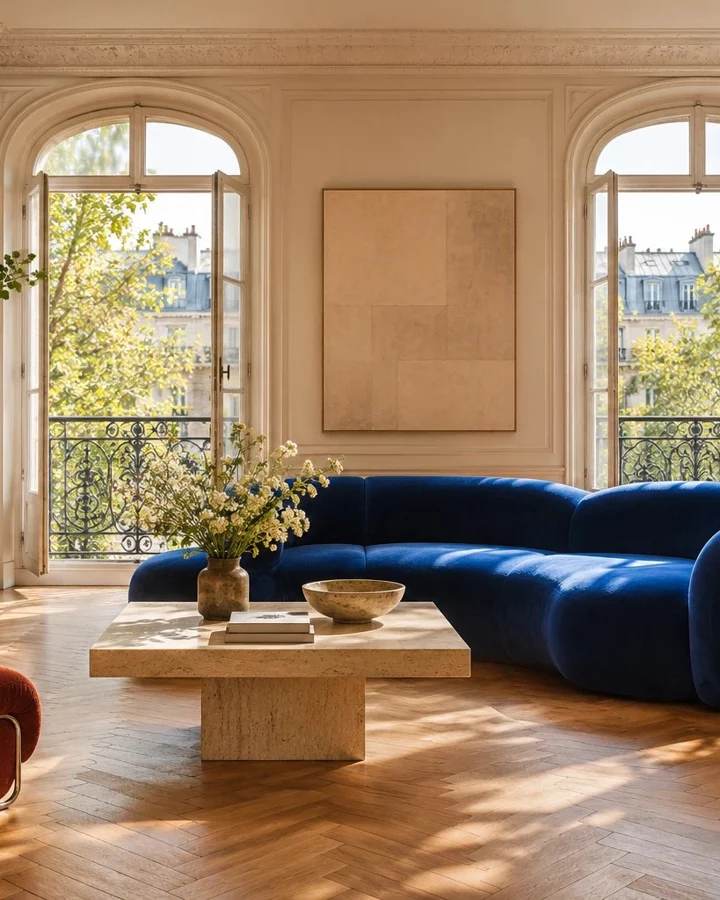
Living room from the Monceau demo property in a 4:5 portrait crop
FIG. 05Monceau apartment · preview of the 4:5 crop exported by the Studio

In the Lucarne Studio

Give your property campaign a story to follow.

Start with facts you can stand behind

Work from the listing, the checked description and approved notes from the visit. Keep photos cleared for use, choose a cover and leave private notes out. The listing, website and posts can draw on the same facts without retyping them.

Pick the angle before the headline

Start with checked listing facts and photos cleared for use. The editor suggests up to six variations per channel. Pick an angle, choose the opening room, reorder the cards and adjust the caption, tone and invitation to view.

Move the camera through a panorama

Start at the living room door and finish looking towards the terrace. Set the zoom and duration, then cut this movement together with photos, a floor plan or a video clip. Preview the sequence before exporting the MP4.
Available in Realitis

One living room photo, five crops to download.

Open the five JPEGs from the Monceau demo. See where the sofa and window fall in the square, portrait and landscape versions before choosing a cover image.

Download all 5 cropsZIP · 1 MB
  • 1:1
  • 4:5
  • 9:16
  • 2:3
  • 16:9

STUDIO CONNECT

One listing, six ways to tell its story.

One shoot can open a carousel, take viewers through a room on video or inspire them to save an interior. Pick a channel and see how the story changes.

Campaign preview

Monceau campaign

Instagram / Carousel4:5
Post caption

Two rooms, the same light. Swipe from the living room to the dining room and see how the double doors bring them together.

Publishing calendarPlanned feature

You’ll be able to approve each piece and schedule automatic publication on all six channels, choosing a date and time for each. If an offer comes in, move or pause the remaining posts.

Content examples from Studio Lucarne. Access in Realitis will roll out in stages.

Distribution kit

Take the content with you. Choose where it appears.

Use the files below for this sample property. Today, agents publish from their agency account or upload directly to the destination.

Social networks

Copy the caption for your chosen channel from the campaign above, attach images or an MP4 and review the preview before publishing from your account.

Download the film

Websites and listing portals

Add the JPEGs and approved description to your listing. Choose formats accepted by the portal and add the property link where permitted.

Download all five crops
See plans